
From three people running recruitment ops by hand to one person running the platform.
FINAL RESULT
CLIENT / Glowing Partner
SYSTEM / RECRUITMENT PLATFORM
ROLE / CONSULTING + BUILD
STATUS / ● ACTIVE
CLIENT FEEDBACK
“Highly recommend working with Chirag! He built a fantastic website for Glowing Partner JP and noticeably simplified our internal business processes. His expertise in web development and workflow automation made a huge difference for our team.”
01 / Diagnosing the bottleneck
5 manual steps, 3 people watching them, 0 candidates kept
Every step was manual and disconnected, so each one needed a person watching it.
No source of truth
Status updated by hand
Redone per candidate
Every resume retyped from email
No talent pool
Not-now candidates lost for good
02 / DESIGN
Stage and status, kept apart
One admin panel where a candidate’s place in the pipeline and their outcome are two separate fields, so putting someone on hold never erases where they were.
 1234
Stage
Where a candidate is: pending, called, interview, hired, rejected
Status
What happened to them, set separately: active, on hold, talent pool
Vacancies
Every posting managed in one panel, not by hand
Talent pool
Good-for-later candidates, reusable across every vacancy
Rejected applications are also cleared automatically after a retention window.
How it runs now
Every step lives in one admin panel, from posting a job to clearing old applications.
03 / BUILD
PUBLIC LISTINGS
Public vacancy search and listing page
What candidates see
Jobs posted in the admin panel appear here straight away.
What the team uses
Click any screen to see it full size.
DASHBOARD
Admin dashboard overview
JOBS & VACANCIES
Admin vacancy management, inline editing
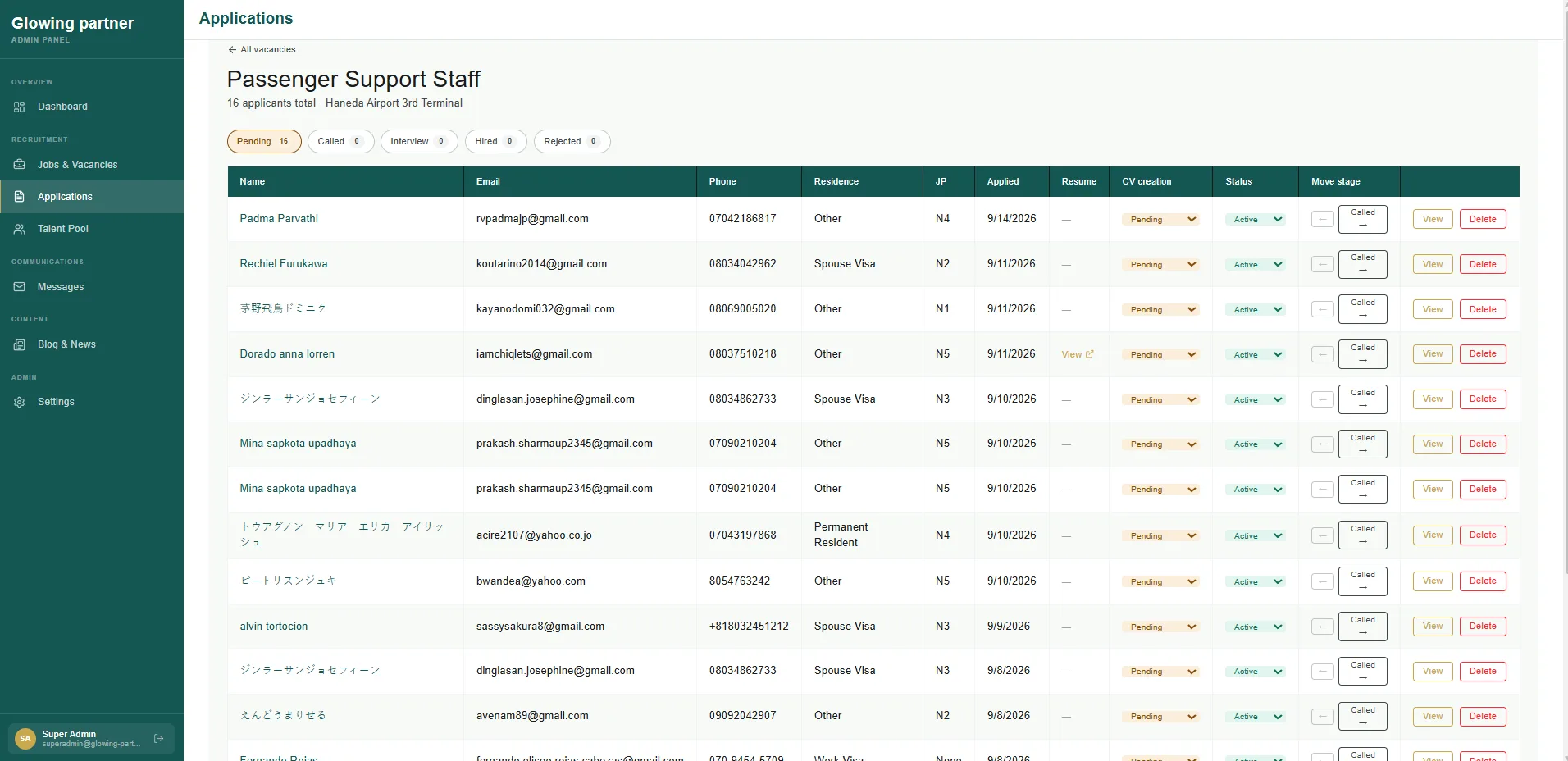
APPLICATIONS
Applicant pipeline: stage and status per candidate
04 / ENABLE
Glowing Partner
System handbook
Admin panel, recruitment platform
- 01How it worksOverview
- 02Posting and editing vacanciesJobs & vacancies
- 03Moving applicants through the pipelineApplications
- 04Talent pool and notesTalent pool
- 05Admin rolesSettings
- ✓Documentedevery workflow
- ✓Self-maintainedupdated by the team