
From retyping every invoice by hand to data that validates itself.
SYSTEM / INVOICEFLOW
ROLE / BUILD
STATUS / ● ACTIVE
01 / DIAGNOSE
3 intake channels, 2 retypes, 0 checks before it's filed
A mistyped total or a skipped invoice is exactly the kind of error that costs real money later.
3 channels
Email, upload, and webhook, each handled differently
Retyped twice
Same fields typed into two systems, twice the chance for a typo
No validation
Nothing catches a mistyped total or a skipped invoice before it's filed
02 / DESIGN
Confidence scored, not just extracted
Every field gets a confidence score. Anything the model is uncertain about routes to a human instead of auto-approving around it.
 123
Intake
One pipeline regardless of channel: email, upload, or webhook
Extraction
Structured fields pulled with OCR + an LLM, each with its own confidence score
Validation
The checks that must never silently pass, listed out, not hidden in a log
Anything with a flag routes to the review queue instead of auto-approving.
03 / BUILD
Click any screen to see it full size
INTAKE
InvoiceFlow dashboard: invoices list with forwarding email, upload, and per-stage status
EXTRACTION
Extracted invoice data: vendor, line items, totals, and confidence scores
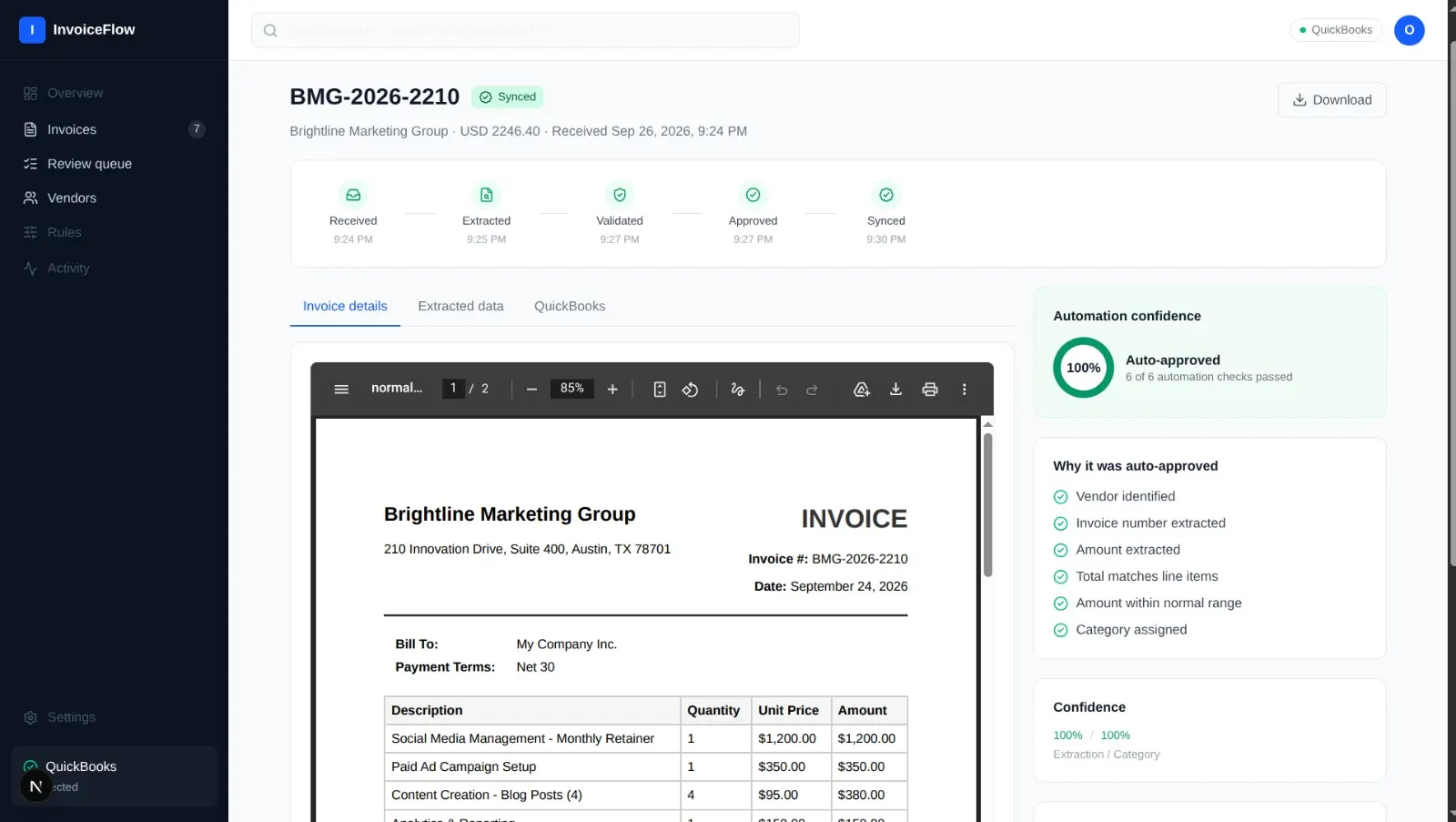
VALIDATION
Invoice detail: processing timeline and automation-confidence breakdown behind auto-approval
ERROR HANDLING
n8n ingestion error-handling workflow: invoice status update and Slack notification on failure
04 / ENABLE
INVOICEFLOW
System handbook
Admin panel, invoiceflow
- 01How it worksOverview
- 02Supported invoice formatsFormats
- 03Handling exceptionsReview queue
- ✓Documentedevery workflow
- ✓Self-maintainedupdated by the team